Database objects tree
The left panel lists the database's nodes, edges, tables and views, with their columns and record counts.
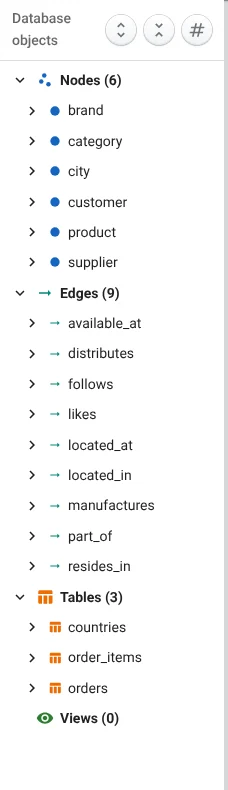
What it shows
- Nodes (vertex classes), Edges (edge classes), Tables and Views, each with its count of objects.
- Expand an object to see its columns and their data types (for example
VARCHAR(64),NUMERIC(10,2)). A key icon marks the primary key. - After decompiling the schema, nodes and edges also tell which types they connect to.
- Hover an object to see its full name and its number of records, once counted.
Buttons
| Button | What it does |
|---|---|
| Expand all | Open every category and object. |
| Collapse to first level | Close everything below the four categories. |
| Count records in every object (#) | Run SELECT COUNT(*) for every object and show the counts next to the names. |
Right-click menu
| Item | What it does |
|---|---|
| Refresh database objects | On the background: reload the lists of nodes, edges, tables and views with their columns, then recount the records of every object. |
| Refresh node / edge / table / view | On one object: re-read its columns and data types, and recount its records. |
| View connections | On a node type: find a record of that type (pick a column, an operator and a value, then Search), click Select on it, and see it with its neighbours and the edges linking them. Click a node or an edge for its properties. The toolbar zooms, fits, redraws and has Change displayed labels, which picks the property shown for each node and edge type (the same choices as in the Graph navigator). |
Hide or show the tree with Settings ▸ Hide/Show browser tree. Drag the divider to change its width.