Graph query builder
Build a graph MATCH query hop by hop, choosing from the types that really connect.
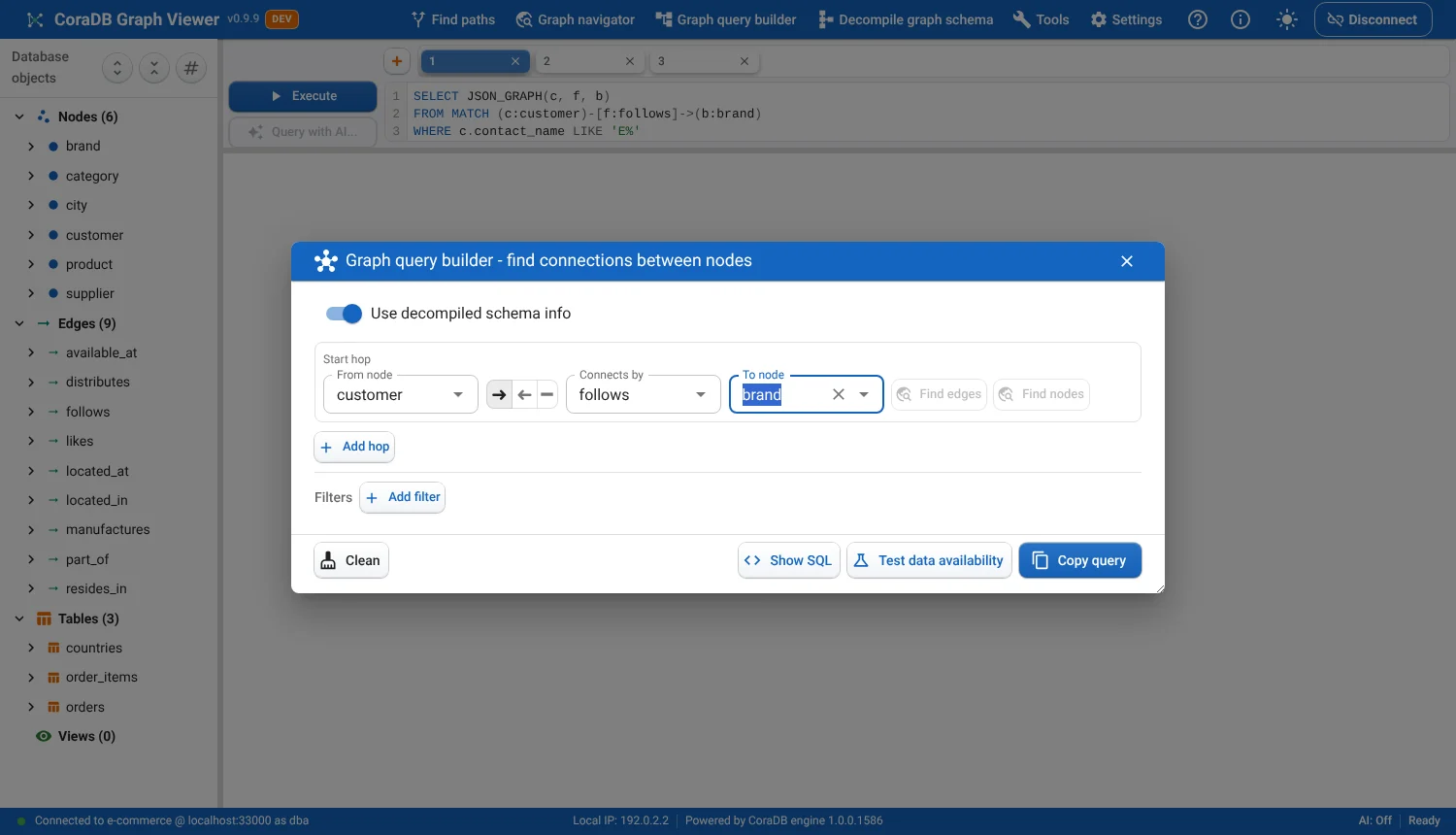
Hops
- In the Start hop, choose the From node, Connects by (the edge) and To node. The arrows set the direction (From → To, From ← To or undirected).
- With Use decompiled schema info on, the lists offer only the edges and nodes that really connect.
- Leave the edge or the end node empty and use Find edges or Find nodes to ask the database which ones connect.
- Add hop continues from the last node; the trash button removes a hop. Test data availability checks that data exists for the current choice.
Filters
Add filter adds a condition on an object's property: choose the Object, the Property and a Value (Get values lists the values).
Finish
| Button | What it does |
|---|---|
| Show SQL | Show the final graph SQL (with JSON_GRAPH) built from your choices; it can be copied. |
| Copy query | Put the query into a new SQL tab and close the builder. |
| Clean | Clear the builder and start a new query. |
The number of records the query returns (ROWNUM) is set in Settings ▸ Options.