AI configuration
Turn AI on and choose the provider and model.
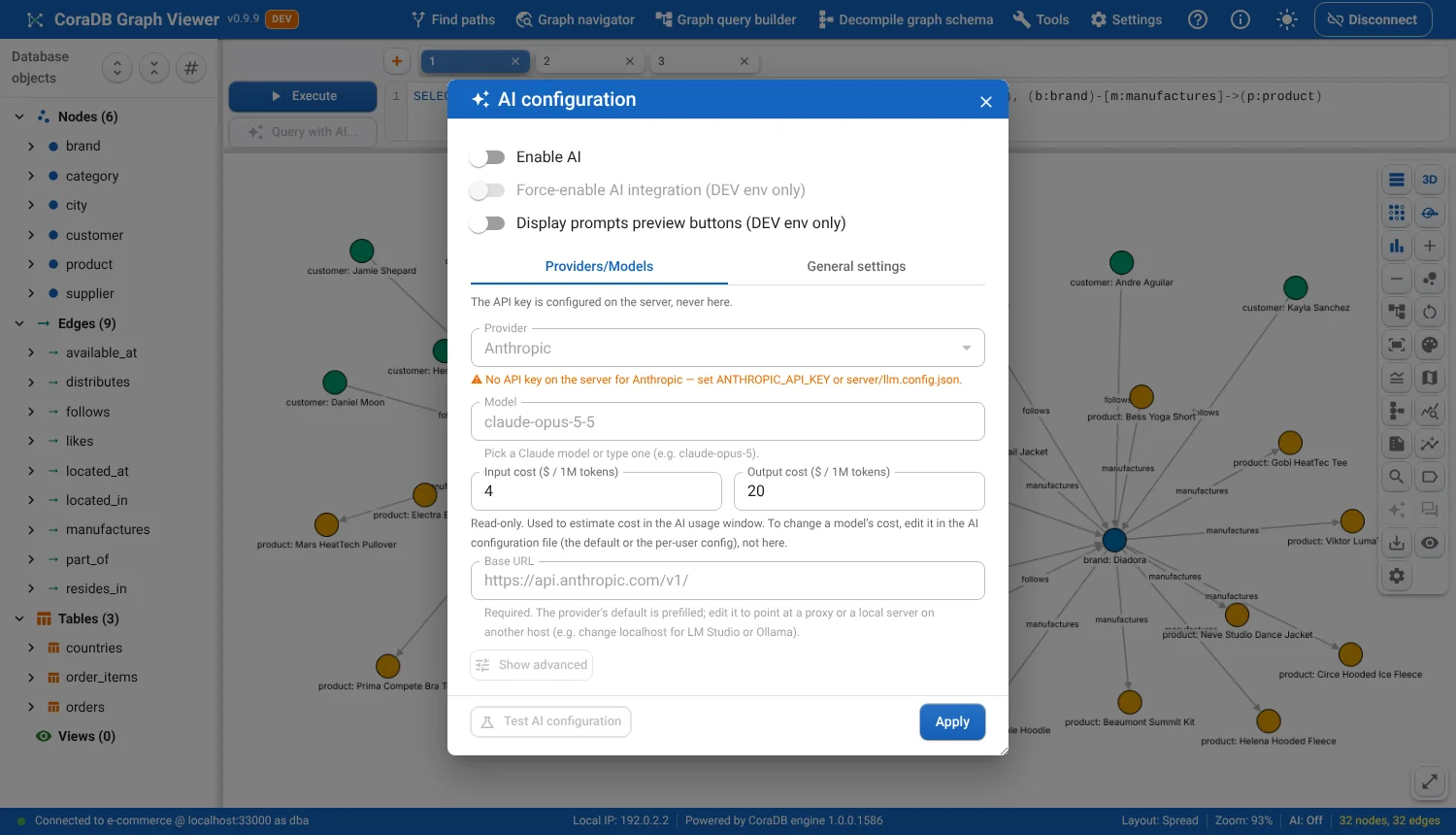
Switch on Enable AI, then on the Providers/Models tab choose the Provider (Anthropic, OpenAI, OpenRouter, Google Gemini, LM Studio local LLM or Ollama cloud LLM) and the Model. The API keys are configured on the server, never here; a warning says when the server has no key for the chosen provider. Test AI configuration sends a short message to check it works.
| Option | What it does |
|---|---|
| Input cost, Output cost | Read-only prices per million tokens, used to estimate costs in AI usage. |
| Base URL | The provider's address; change it to use a proxy or a local server on another host. |
| Show advanced | Extra request parameters for the selected provider and model (effort, max tokens, reasoning). |
The General settings tab holds the limits of AI requests (max tokens, timeout, retries), when cached AI answers expire (and a button to clear them), how many AI queries the history keeps, and the graph size limits for Explain with AI.